


MR SJ CLARKE
Reviewed in the United Kingdom on 14 June 2026
Looks awesome
This monitor looks incredible for the money
5.0
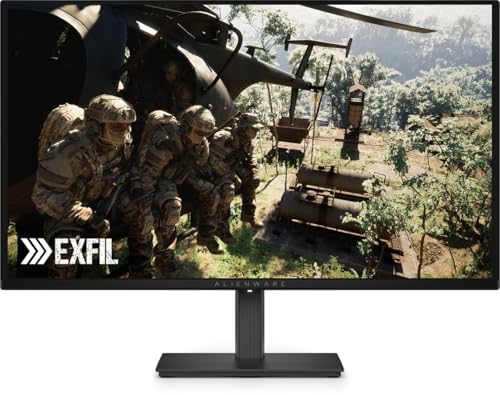
Alienware 27 Gaming Monitor - AW2726DM, QHD (2560x1440), 240Hz, QD OLED, 0.03ms, AMD FreeSync Premium, VESA AdaptiveSync, 99% DCI-P3, HDR10, DisplayPort, 2 HDMI, 3 Year Warranty
نام تجاری
Alienware
اندازه صفحه نمایش
26.5 اینچ
قطعنامه
QHD واید 1440p
نسبت ابعاد
16:9
توضیحات سطح صفحه نمایش
مات
بازی QD-OLED برای همه: رنگهای زنده و وضوح حرکت فوقالعاده فناوری QD-OLED را در QHD تجربه کنید. رنگ درخشان با مشکی کامل ملاقات میکند: برای غوطهوری عمیقتر، به رنگهای غنی خیرهکننده و مشکی واقعی با پوشش 99% DCI-P3 و کنتراست بینهایت غوطهور شوید. جهان های شفاف در QHD: وضوح QHD (2560x1440). SMOOTH MOTION: نرخ بهروزرسانی 240 هرتز و زمان پاسخ 0.03 میلیثانیه، حرکتی فوقالعاده صاف و تصاویری بدون تاری ارائه میکند. گیم پلی پاسخگو: AMD FreeSync Premium و VESA AdaptiveSync از اجرای بازی های بدون لکنت با هر پردازنده گرافیکی مدرن اطمینان می دهند.
قیمت :
فروشگاه :

نام تجاری
Alienware
اندازه صفحه نمایش
26.5 اینچ
قطعنامه
QHD واید 1440p
نسبت ابعاد
16:9
توضیحات سطح صفحه نمایش
مات
بازی QD-OLED برای همه: رنگهای زنده و وضوح حرکت فوقالعاده فناوری QD-OLED را در QHD تجربه کنید. رنگ درخشان با مشکی کامل ملاقات میکند: برای غوطهوری عمیقتر، به رنگهای غنی خیرهکننده و مشکی واقعی با پوشش 99% DCI-P3 و کنتراست بینهایت غوطهور شوید. جهان های شفاف در QHD: وضوح QHD (2560x1440). SMOOTH MOTION: نرخ بهروزرسانی 240 هرتز و زمان پاسخ 0.03 میلیثانیه، حرکتی فوقالعاده صاف و تصاویری بدون تاری ارائه میکند. گیم پلی پاسخگو: AMD FreeSync Premium و VESA AdaptiveSync از اجرای بازی های بدون لکنت با هر پردازنده گرافیکی مدرن اطمینان می دهند.
بر اساس نظرات آمازون
نظر شما میتونه به بقیه کمک کنه تا انتخاب بهتری داشته باشن خوشحال میشیم اگر تجربه تون از این محصول رو با ما به اشتراک بذارید!
نمایش ۵ نظر آمازون از ۳۱ نظر
Looks awesome
This monitor looks incredible for the money
Presque parfait
Un écran vraiment très bon par rapport a la concurrence et surtout a ce prix. Vous ne trouverez pas beaucoup d'écran en 1440P qd oled dans les 400€. Le seul point un peu négatif a mon goût, c'est son pied d'origine je le trouve pas assez stable, de toute manière je vous conseille de prendre un bras pour vos écrans.
Awesome display, value for money 🤑
Awesome monitor. Bought it for my son, who day trades and loses all of my savings. Now he'll shift his losing streak to games instead of my retirement money. Best purchase, and infact helped me earn some money as stated above. Thank you Dell. Comming to the display, it's an OLED. It's vastly superior to the mini LEDs, or any other LCD technology. The contrast ratio is infinite, the blacks are deep. The brightness of the display might not be upto the mark for some users, and there's text fringing as well. Working on spreadsheets while using this display can be eye straining. I bought it for 35k during prime day, post discounts. Must buy for OLED enthusiasts and basement dwellers.
attention bulle sur l'écran
petit soucis de bulle sur l'écran mais cela reste correcte sinon.
Best Entry-Level OLED Panel as of June 2026.
**TLDR**: Simply Excellent Value and the best available Entry Level Monitor that can be found in under 50k range hands down. *Where the quality was cut down to meet the Price*: - Ports/Connectivity - Brightness - Software & Software Support - Base of the Monitor Stand Beyond these, this Panel is no different than any other 240Hz 27" QD-OLED Panel out there. ***Semi-Detailed Rundown***: - **Packaging**: Arrives in Sturdy Alienware Packaging - next to no chance of shipping damage if handled normally. - **Colour & Panel**: Excellent Colour Range and simply unmatched by IPS/Mini-LED Panels in terms of Contrast and Black Levels -> 3rd Gen 10-bit QD-OLED Panel from Samsung Displays w/ a sweet Glossy Finish, some may like it, some may not and prefer Matte. It is excellent for both Media (HDR & SDR), as well as Games (enable Auto-HDR in Windows, if you are indeed using HDR). - **Brightness**: 200 nits (cd/m²) Brightness in SDR, 400 nits (cd/m²) in HDR (w/ 10% Active Highlights on screen, drops to 320-350 for 50% and 200-250 for 100%) -> The actual Brightness will vary panel-to-panel similar to Silicon Lottery, I was fortunate enough to get one with about 410nits max. While some have gotten as low as 380. Keep in mind that our eyes perceive Brightness Logarithmic-ly and not in a Linear fashion - just be sure to avoid direct lighting on the Panel - having it behind or to the side works well enough. - **Connectivity:** Supports 1 Display Port 1.4, and 2 HDMI 2.1 (capped at 120Hz rather than 240, but supports VRR), No Built-in Speakers, No Additional Audio Jacks or USB Connectors -> Due to which, the Firmware of this Monitor cannot be updated, we use it as-is out of the box. - **Software:** Controlled via a somewhat inconveniently placed Joystick to the bottom-right of the Monitor - has bare-minimum settings to play with - Recommendation: Keep everything as-is, ensure 'Smart HDR' is set to "Desktop HDR". Please note that the Panel contains most if not all of the typical Anti Bu